Chatting speed and creator KPIs, side by side with Infloww
Two one-to-one recordings against Infloww: replying to the same fan in Messages Pro, and the per-creator KPI section. The recordings are the claim.
By the maintainers 3 min read
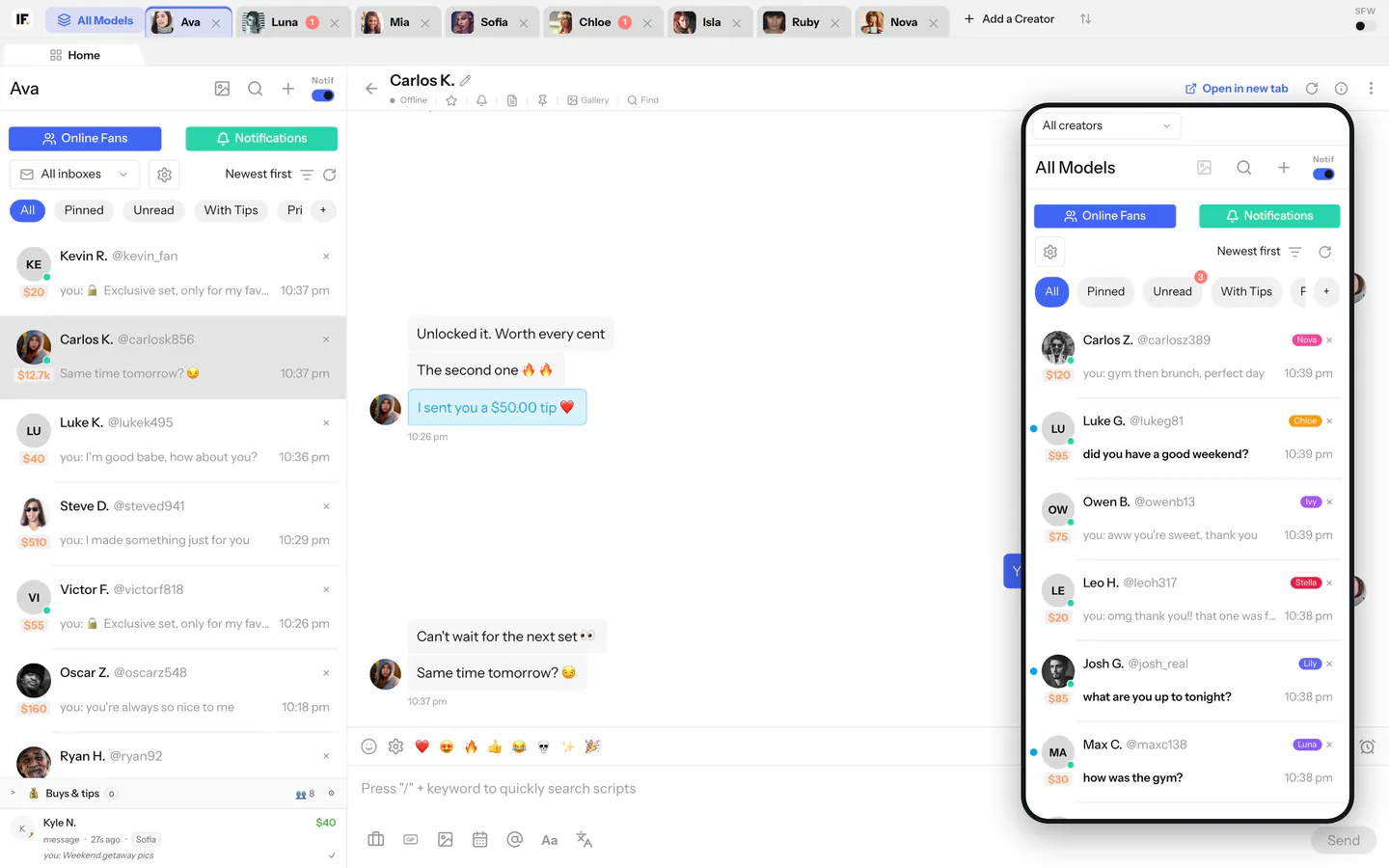
This page holds two recordings. Each one runs Infloww and Inflowwww side by side on the same task, in one take. We do not quote numbers here: whatever the recording shows is the claim, and you can count it yourself.
Recording 1: replying to the same fan
Video coming soon
Both apps are open next to each other with a clock in view. The chatter opens the same fan's chat in each, reads it, and sends the same reply, then moves on to the next unread chat.
Why Messages Pro is quick
None of this is a trick for the camera. It is how Messages Pro loads chats every day.
- The relay is yours. Messages Pro talks to the relay on your own server, which holds each creator's OnlyFans session and calls OnlyFans directly. There is no vendor cloud in the middle.
- History paints from your database first. Opening a chat fills the thread from the relay's own copy of the messages, so the text is there at once. OnlyFans' answer then slots in under it without a reload, and media follows when it arrives.
- New messages are pushed, not fetched. The relay's live event stream drops a new message straight into the open thread and moves that chat to the top of the list. The list's background poll is only a safety net.
- Unread chats are warmed before you open them. Once the list is live, the top unread chats, in the order you see them, have their first page of messages fetched in the background: three straight away, then two more and two more, each round only after a few seconds without input. It is one fetch at a time, the later rounds stop the moment you type, scroll or switch tabs, and a chat is warmed again only when a new message lands in it. So the next chat you open usually paints from cache.
- Typing costs nothing. The draft stays in the page until you press Send. No keystroke goes to the server.
Recording 2: the per-creator KPIs
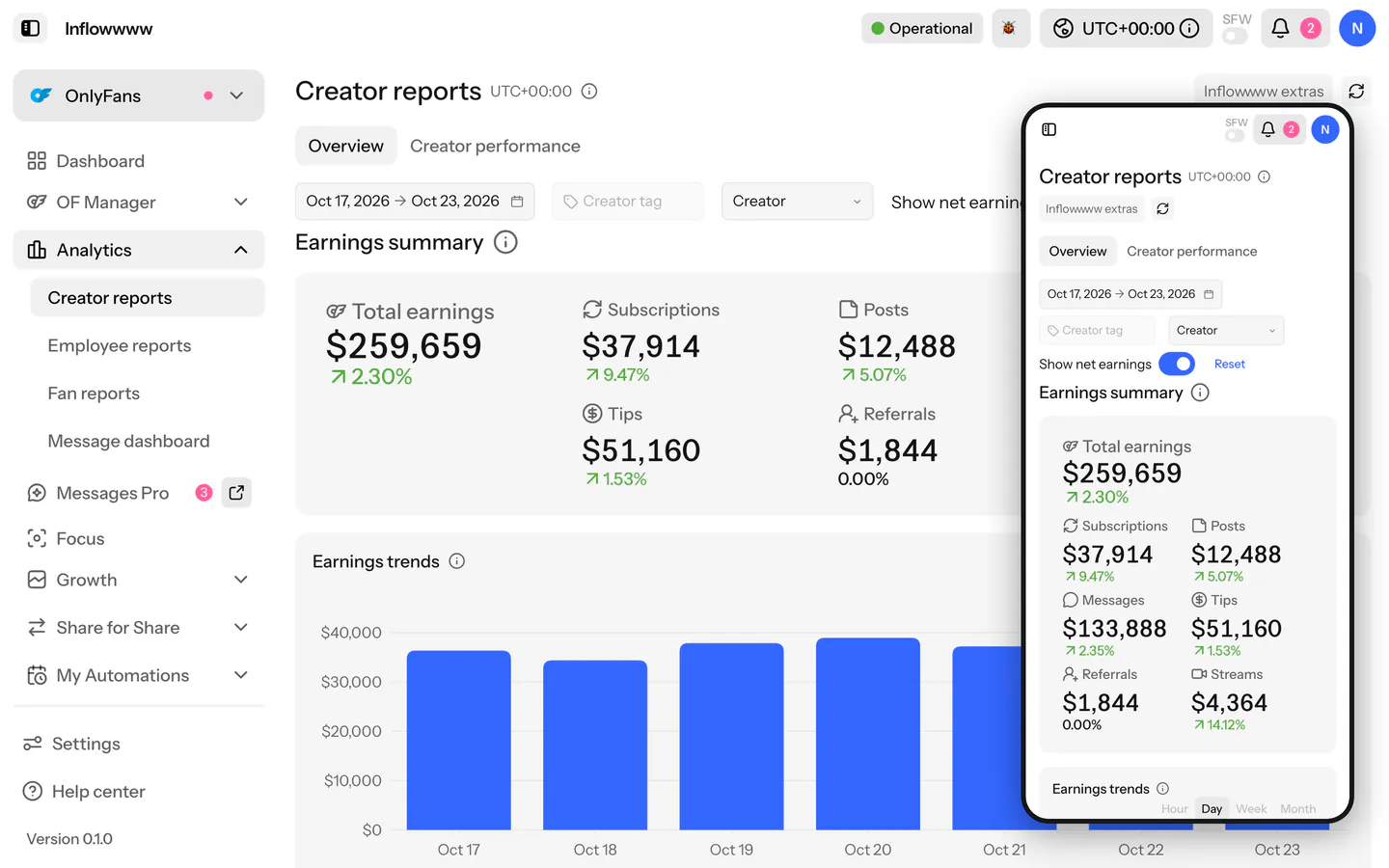 Video coming soon
The same creators and the same period in both apps, from opening the page to reading one creator's numbers.
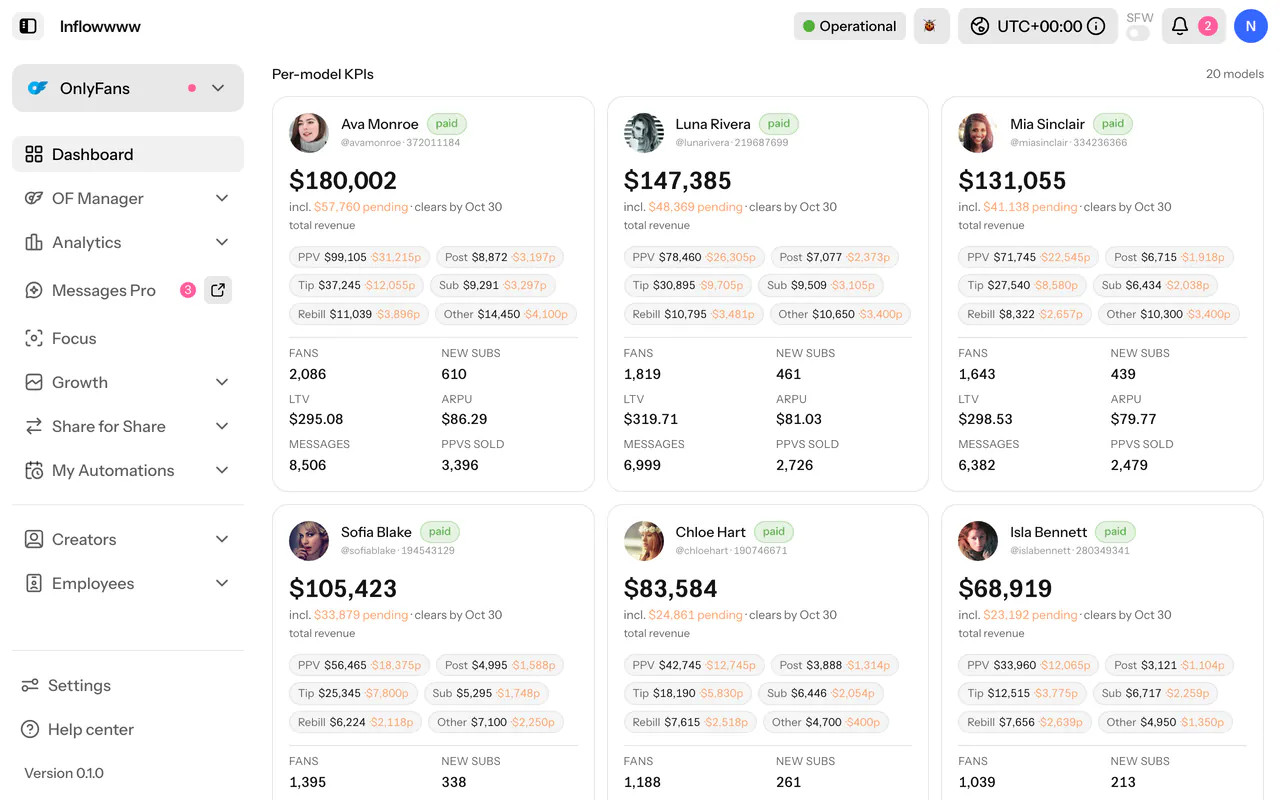
In Inflowwww that is two places:
- The Per-model KPIs cards at the bottom of the dashboard: total revenue with the pending part marked, new subs, LTV, active subs and ARPU for each creator.
- Analytics > Creator reports: fans, new fans or new subs, LTV, ARPU, messages, PPVs sold and revenue by source, for any date range. How to use Creator reports explains each figure.
Both read the sales ledger on your own server, and pending sales count from the moment they fire.
Run it yourself
Open the same fan in both apps on your own accounts, with a clock in view, and reply. Then open the same creator's numbers in both. If your result differs from ours, the recording you made is the one to trust.
The pitch. The fastest chat client is the one that already has the chat when you click it, on a server you own. Deploy it yourself.
- #speed
- #comparison